Calculate difference

Hi all,

I have the following problem with my table. It is an example created with the Online Demo Data Cube Sales:
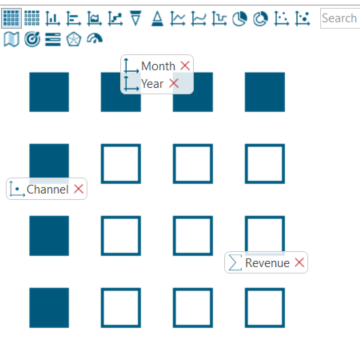
This created the following table, but I need the calculation of the difference:
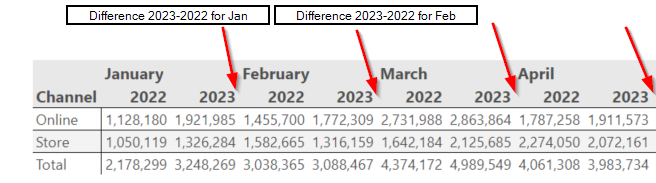
 

Does anyone has an idea how to solve it?  Thanks a lot
0

Comments

4 comments
  • Hi Marlene

    You can create a new measure, use the formular "sum(-1, 0, m1) - sum(0, 0, m1)" and hide all the measure columns after "2022"

    0
  • Hi!

    Thanks, that was my idea too, however you can't "automatically" hide all 2022 Measure columns, can I?
    I would have to specifically hide them each by each, but then it won't work after the new year, because there is a fixed reference to the columns name [2022].

    0
  • Hi

    Yes, I think you must hide them one by one, but if you use a relative reference it should also work in the years to come (1 from the first, 3 from the first, 5 from the first etc.).

    It would be nice if it was possible to hide all even or odd numbers from the first ;-)

    0
  • Thank you,

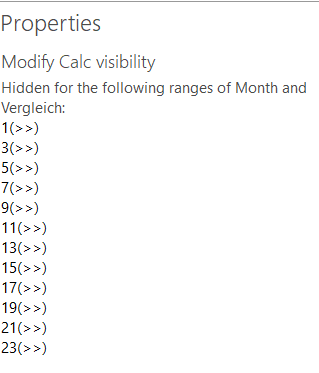
    I now created one calculated measure (sum(-1, 0, m1) - sum(0, 0, m1)) and make every second calculated measure invisible 


    My result looks good (after some dynamics captions):

    0

Please sign in to leave a comment.

Didn't find what you were looking for?

New post
