Format dimensions based on 2nd/3rd dimension value.

Hi,
I have a Balance crosstab in a report. The Balance-Rows are from a dimension. That dimension also has a attributes, which indicate if the Row should be Bold/Underlined.
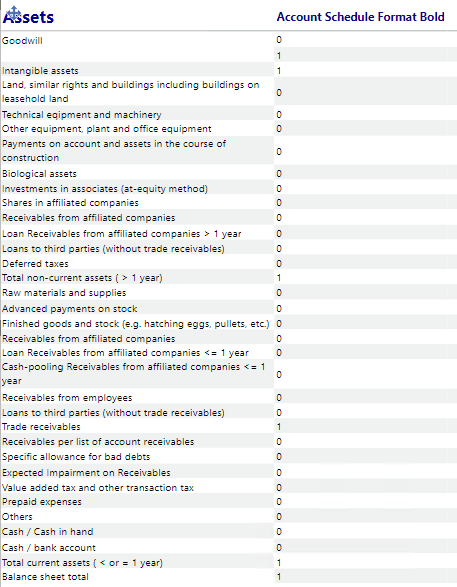
I can't find a way to simply format the line bold if the second dimension attribute "Account Schedule Format Bold" is showing 1. And I don't want to format every line statically.
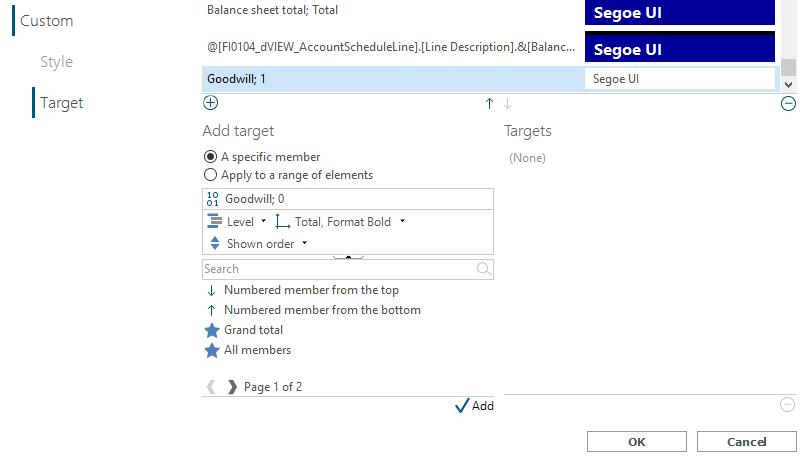
I tried with the Crosstab styling and "Total, Format Bold" but that didn't work either. I can't put the Format Bold in front of the Balance Lines, because then the order would be wrong.
I am in the January 25 version. Am I doing something wrong or is this not possible? Can there be a workaround with calculations maybe?
2
Hi Dirk,
I think you hit a dead end here. I cannot see how this can be done in the current version.
May I suggest you head over to the 'Feature requests' section of the TARGIT Community to raise this a new feature request. Possibly as a new type of agent, a 'Formatting' agent that should include formatting of dimension members as well.
BR / Ole