Consumer Editing - How to prevent a Consumer to save Reports in the Shared folder?

Hello,
I just tested the Consumer editing option and wanted to save a file. I removed my user from the Designer Role, so that I simulated a Consumer.
As the Consumer I could still save Consumer editing changes into the Shared folder. In your documentation about the Consumer Plus role you wrote:
- "Use the “Save” and “Save As” options to save their changes to the shared dashboard and/or save their own localized view of the dashboard. To save in the Shared folder, the user will need the required permissions according to the Rights settings in the TARGIT Management client."
I could not find the necessary Right to disable "Save to Shared". I disabled "Save Consumer editing" bu this also disabled saving at all:
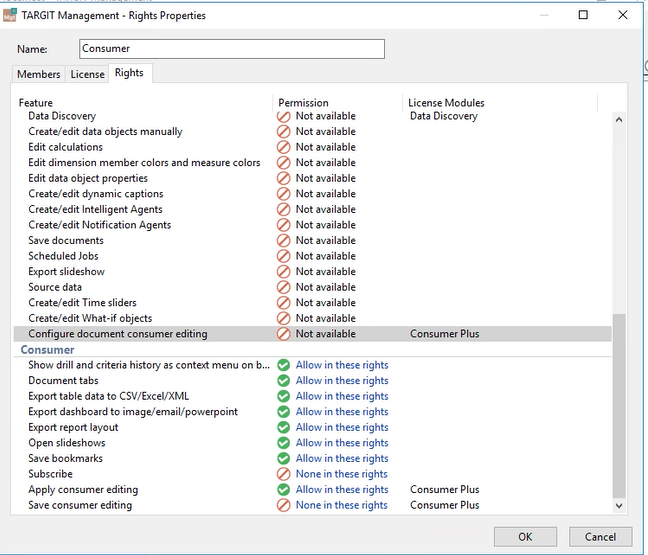
Can you help me find the issue?
Best regards,
Dirk
1
Ok Thank You.
I was still in a Full Access role, which is why I was able to save it in the Shared folder.