Help Understanding Why Level Formula Works

Please forgive the length of the post but trying to provide full clarity.
- Issue trying to address: hiding a specific measure for a child level when expanded, while still showing the measure for other parent levels not expanded. I used this post as a starting point: (https://community.targit.com/hc/en-us/articles/10922181941532-Identify-the-levels-of-your-hierarchy-as-preparation-for-special-calculations)
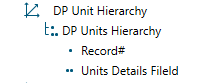
- Dimension set up in DataModel
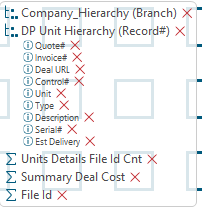
- Dimension set up in report
- Advance calc from report
- Measure breakdown
- L3 (Measure 4)
- if allcount(d1, all(c), m1) = 0 then 3 else 0
- L2 (Measure 5)
- if max(d1, all(c), m4) = 3 and min(d1, all(c), m4) = 3 then 2 else 0
- L1 (Measure 6)
- if max(d1, all(c), m5) = 2 and min(d1, all(c), m5) = 2 then 1 else 0
- Levels (Measure 7)
- sum(all, 0(l(2,1)), m4:m6)
- 444 (Column 1)
- if (sum(d-1, 0, m4) = 0 and sum(d-1, 0, m5) = 2) or sum(d-1, 0, m7) = 3 then 100 else 999
- L3 (Measure 4)
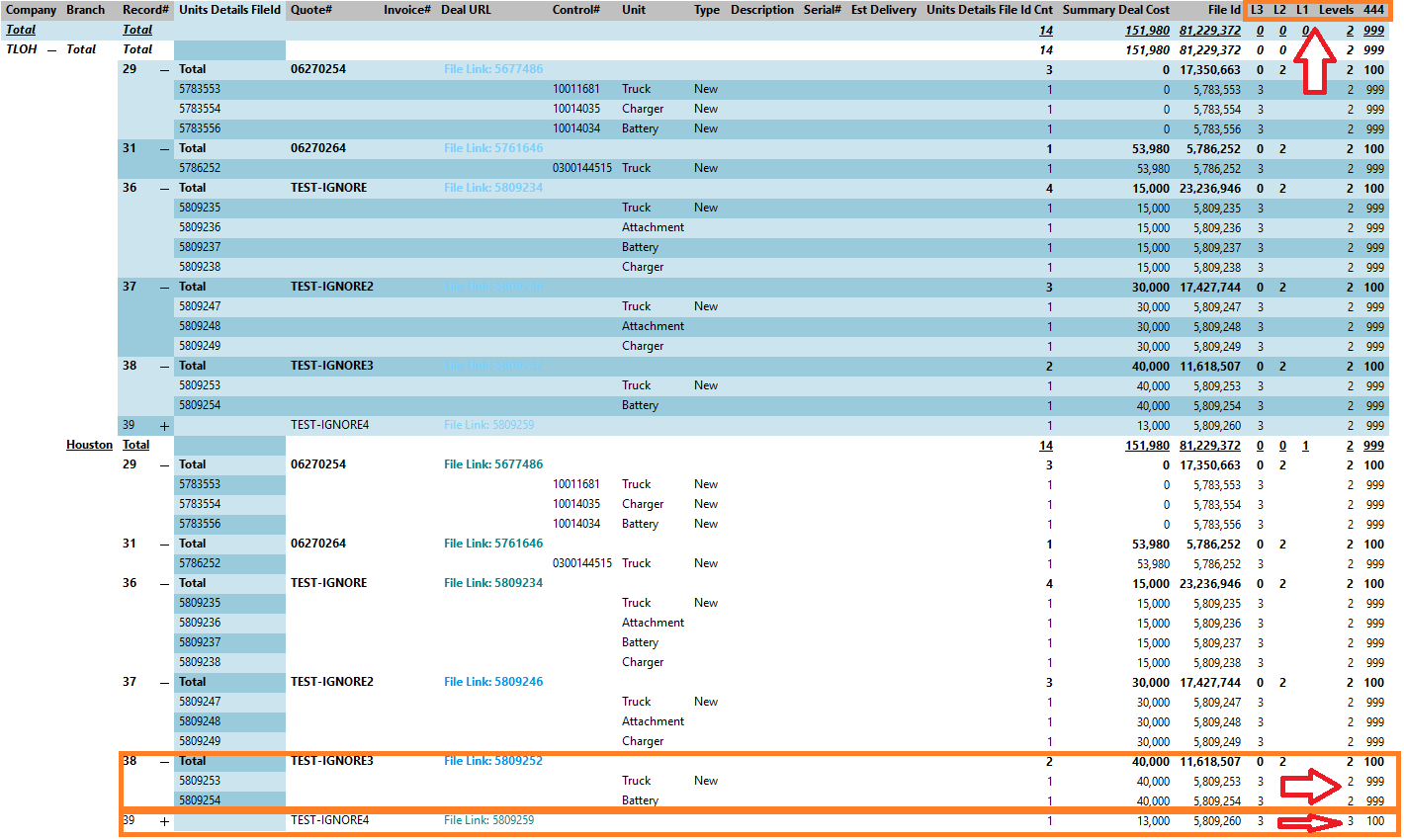
The results from column 444 are correct, in that rows with a value of 100 will be shown, while those with 999 will be hidden.
The main thing that seems to make all this work is the calc for the Levels measure, specifically the 0(l(2,1)). In all the Targit documentation relating to levels, there is only mention of using a 0 or 1 in the first parameter.
I was hoping someone could explain what the 2 is doing, and why the children on Total 38 return 999, while Total 39 is 100.
0
Comments
0 comments