Calculations Including Two Dimensions and Multiple Measures

We wanted to create a calculation of specific data points in a crosstab that had two dimensions and four measures. Is there a way to pick individual cells in the crosstab to add to a calculation? We are trying to add specific pieces of data in the crosstab together, not all.
Thank you!
0
Hi Elliot,
I am pretty sure I will be able to help you here.
However, please provide a screenshot of the crosstab so that I can better answer your question.
BR / Ole
Good morning,
Please see the below images.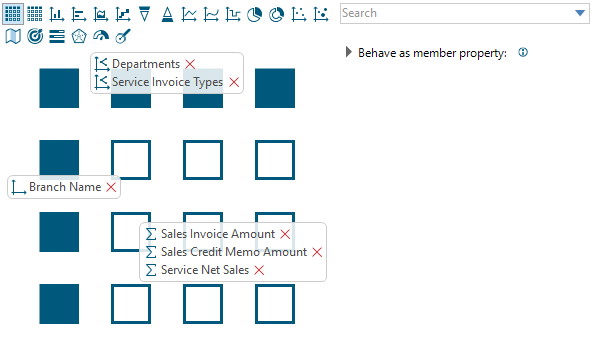

Thank you Elliot,
So, Departments can be either "Parts" or "Service". Service Invoice Types can be either "Parts" or "Service" or "Other Charges". Furthermore, you have the three measures.
If you insert a calculation as a new calculated column, you can use these references:
BR / Ole
Looks like that worked perfectly!