Special characters are not shown correctly
Dear community,
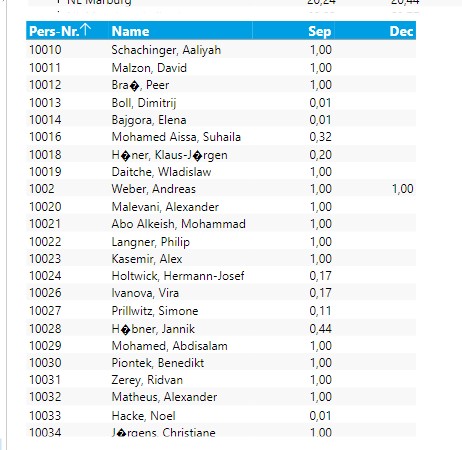
we actually have a case at two customers, where special characters are not show correctly
I suppose it was caused by a Microsoft update.
Any idea?
Kind regards
Thomas
Dear community,
we actually have a case at two customers, where special characters are not show correctly
I suppose it was caused by a Microsoft update.
Any idea?
Kind regards
Thomas
 Ole Dyring
 Hi Thomas,
In most cases the special character issue are caused by using wrong encoding when reading the source data. E.g., normally you should be using UTF-8 encoding when reading data from CSV files.
Did you already manage to fix the issue?
BR / Ole
Thomas Veit Hi Ole,
issue has been solved ...
There are two option in Excel, if you save the file as csv: one has the UTF-8 option, the other not :(
Comments
2 comments