Image attribute cannot be enabled inside a hierarchy

Hi TARGIT Community,
we received very positive feedback from one of our partners regarding the use of images as attributes and how TARGIT visualizes them.
However, we are facing an issue when the image attribute is used within a hierarchy. In this case, TARGIT does not recognize the attribute as an image inside the hierarchy, and therefore it cannot be enabled as an image. When drilling through the hierarchy, the attribute is still displayed as a URL instead of being rendered as an image.
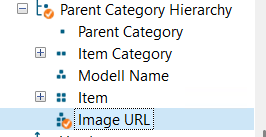
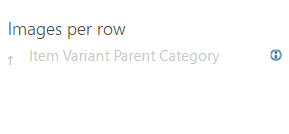
Do you have any recommendations or best practices on how to handle image attributes within hierarchies, or how this limitation can be resolved?
Thank you in advance for your support
2
Hi Alaa,
You can handle this so that you will be able to see images within a hierarchy. Even when drilling through the hierarchy, so that the images will only display once you get to the Item level.
It does require that you set up the 'Image URL' as a member property (also known as an attribute relationship) to the 'Item' level. This is something you will need to get done as part of the dimension definition in the data warehouse.
In the TARGIT client it will then look something like this (example showing 'ImageUrl' as member property to 'Region'):
If you do this, you will be able to enable the ImageUrl in the 'Images per row' setting in the TARGIT client.
BR / Ole