Crosstab Styling - Individual coloring of themes

Hello together,
I recently had an user asking if we can adjust the coloring of the theme that we use for a crosstab to have the same color as the column before, in my example this means all "Laying Date" should have the same coloring as "Laying Month" they are related to. So, 01.01.2022 - 31.01.2022 should be formatted dark grey while 01.02.2022 - 28.02.2022 should turn white etc..
Laying Calendar Hierarchy, Laying Month and Laying Date are dimensions and the Rank is a calculated measure here. I know that we can color measures in a way that I'm describing here, but I need the dimensions also to color the same way. I also didn't find a way to have this targeted in the "Custom" Crosstab Styling
Here is a quick and easy example:
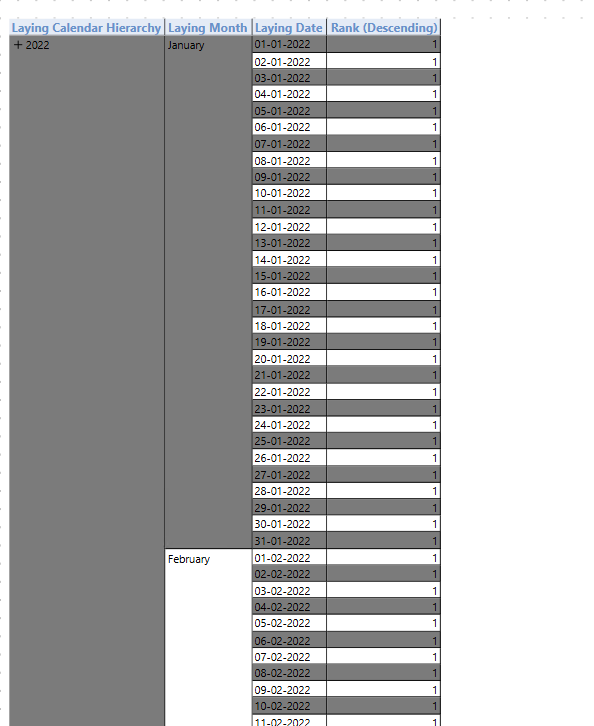
I wonder if anyone faced the same issue / has a workaround for this.
Hi Rene,
At this point we do not have any options for making such formatting changes.
The alternating colors on every dimension level is currently the only option with Crosstab Styling.
BR / Ole