Ability to see explanation of Measures/Calculations/Dimensions in Anywhere version

We would like a way for Anywhere version to show explanation of Measures/Calculations/Dimensions when you hover over them similar what user’s experience in the Windows Desktop Client.
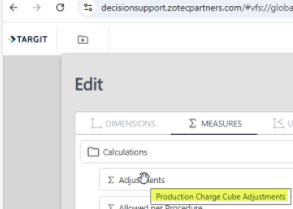
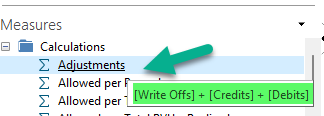
See example screenshots below where in the Anywhere version the hover information for ‘Adjustments’ states ‘Production Charge Cube Adjustments’ instead of ‘[Write Offs] + [Credits] + [Debits]’ that a user sees in the Windows Desktop Application that also allows users to right click and select ‘Show explanation’.
6
Comments
0 comments