
When Data Discovery reads a source file it will automatically detect data types of the source columns.
This will subsequently be used to determine whether a column is source for a measure or for a dimension. As a rule, columns of numeric data types will become measures.
However, very often ID columns, such as Customer IDs and Product IDs will be misinterpreted as measures.
To prevent this, these columns can be read as strings instead of numeric columns.
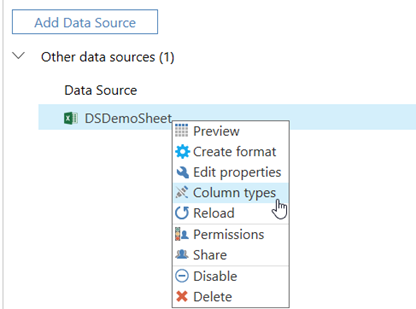
Go to the Data Sources tab of the Data Discovery tool, and then right click any data source to work with column types.
In this file, e.g. the Sell-to Customer No. column represents a column that is in fact just a customer ID. If it is kept as an integer data type, it will be treated as a measure. So we change it to a string to get it treated as a dimension.
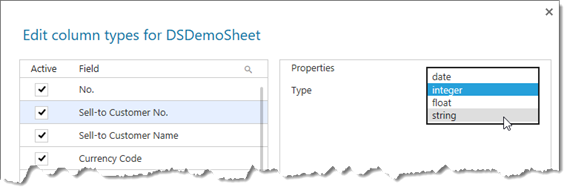
Also, notice that each column may be totally de-activated if they are not to be used in subsequent cubes.
Comments
Hello! How are you doing?
I'm using Data Discovery to work with time-related information (minutes, hours, seconds, etc.), but I'm having some difficulty with the column data types. When I try to perform calculations like AVG, it doesn’t work properly.
I've already tried using "integer" and "float" types. My data is coming from a Google Sheets report who also is formated with this type of time. The idea is to find out the average time this takes.
Could you please help me with this?
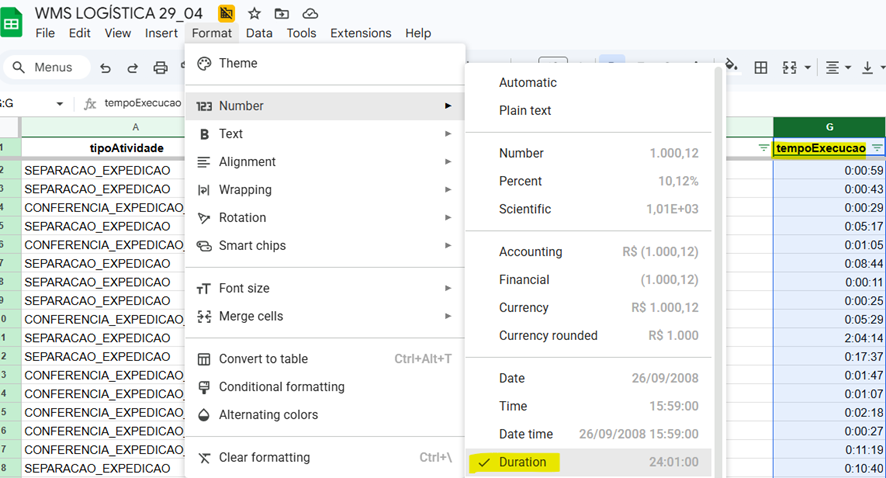
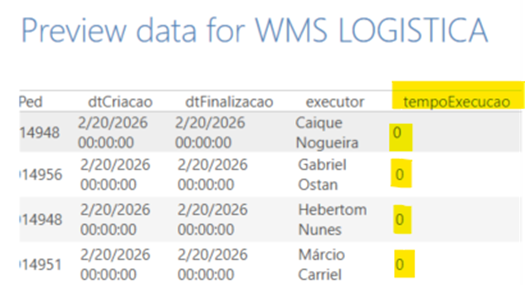
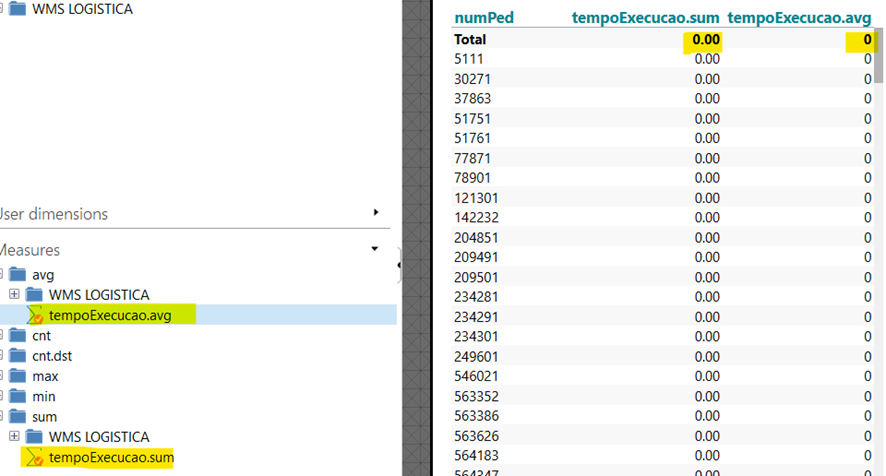
1 - Here is the report where I import to Data Discovery, the type column is DURATION
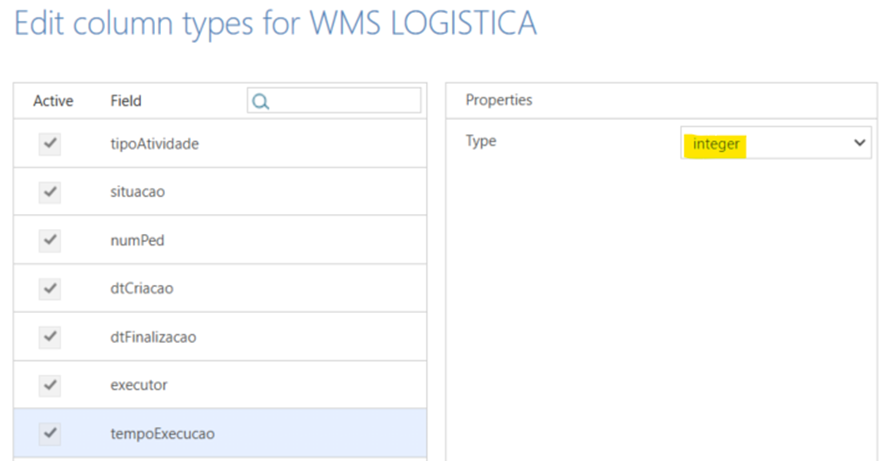
2 - When I edit the column type to INTEGER (in Data Discovery)
3 - The preview data is 0.
4 - Even if I format numbers in Crosstab, still 0
Please sign in to leave a comment.