
A drillthrough action is an action that identifies all the transactions behind a certain value in an object.
You need to set it up in Analysis Services in the Action tab of the cube.
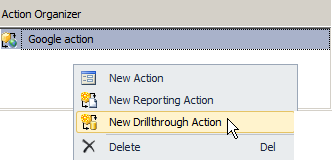
Again rightclick in the Action Organizer area – only this time choose a New Drillthrough action:
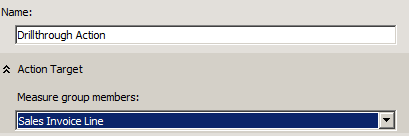
It’s possible to name the Drillthrough action and to choose a certain measure group:
Now it’s a matter of choosing drillthrough columns – dimensions, measures and return columns:

So, after we process the cube we are able to make the drillthrough in the TARGIT client.
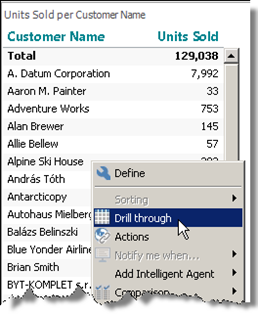
Any value in a crosstab or graphical object can be right-clicked to choose Drill Through (in this case we right-click on Alpine Ski House:
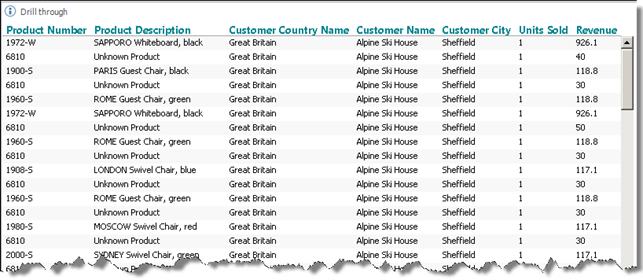
And the drillthrough with the chosen options will look something like this:
Comments
Please sign in to leave a comment.