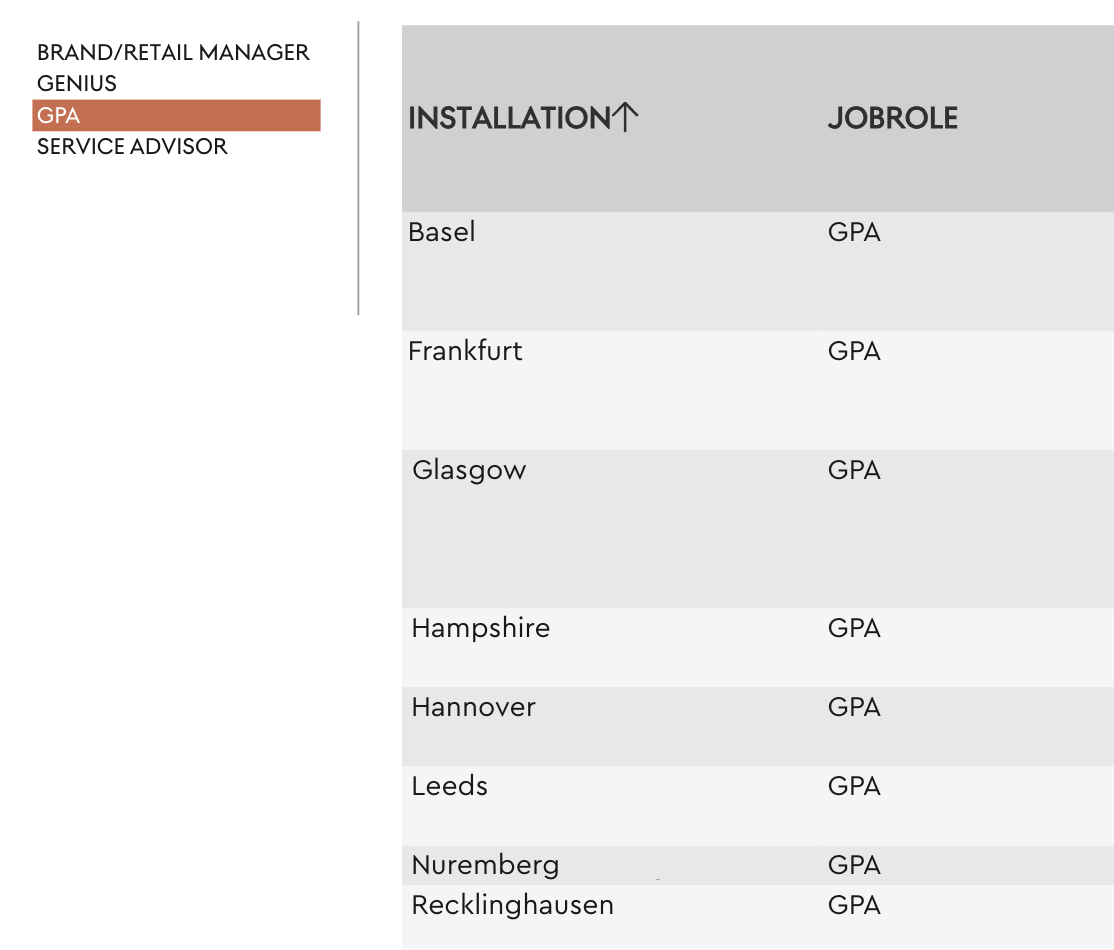
Overrule local criteria with filterbar

I have added a local criteria to a table (4 JobRoles from one dimension), so that only the data of these 4 JobRoles are displayed. However, the customer would now like to be able to view the 4 JobRoles separately via the criteria bar/filter (the same dimension as the local criteria). But the filter does not respond due to the local criteria that have been set for the table. Only when I remove the local criteria does the selection of the dimension filter in the criteria bar have an effect again.
Is there a way to leave the global criteria selectable despite the local criteria of the same dimension?
KR
Marcel
0
Hi, there is a TARGIT blog post where the priority of the different filters is explained:
Criteria overrides – TARGIT Community
Local criteria always overrides global criteria.
Thanks for the link. I build a workaround that works fine for me so i can override a local criteria to "filter" on a specific element within the local criteria.
I have another table from the dimension from which the criteria are built – without measures. I have filtered the table to only include the elements (also local) that are also contained in the report table. This means that when I click on an element in the “filter table,” I can drill down, and this also includes the report table and overwrites the local filters.
I formatted the “filter table” so it is clean and then excluded it from the export, and now I can “filter” on an element and export only that from the report table.