
NOTE: Since the 2022 Spring Release the What-If feature has been retired from TARGIT.
This unique feature gives the possibility to explore the hidden potential in the data warehouse.
With one single click a What-If object may be added and the effect of changes in figures may be
predicted based on information already available in the data warehouse. E.g. What-If the sales
revenue was 5% higher. What would the numbers look like? This question may now be
answered by adding a What-If object to the analysis.
The What-If object affects the appearance of the other objects in the analysis. Whenever a
What-If object is added to an analysis, the other objects in the analysis show the What-If
modified values and bar charts show both the original values and the What-If modified values.
To start working with the What-If object, right click a value in one of your existing objects.
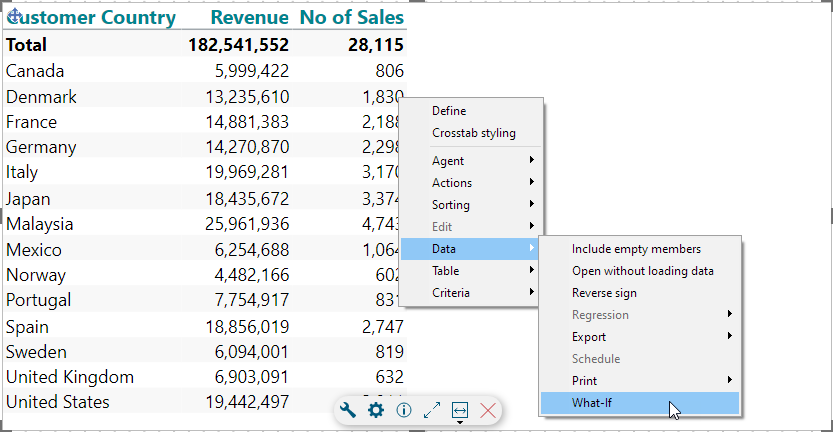
This will produce two things:
- What-if columns for all of your existing measures
- A What-if object
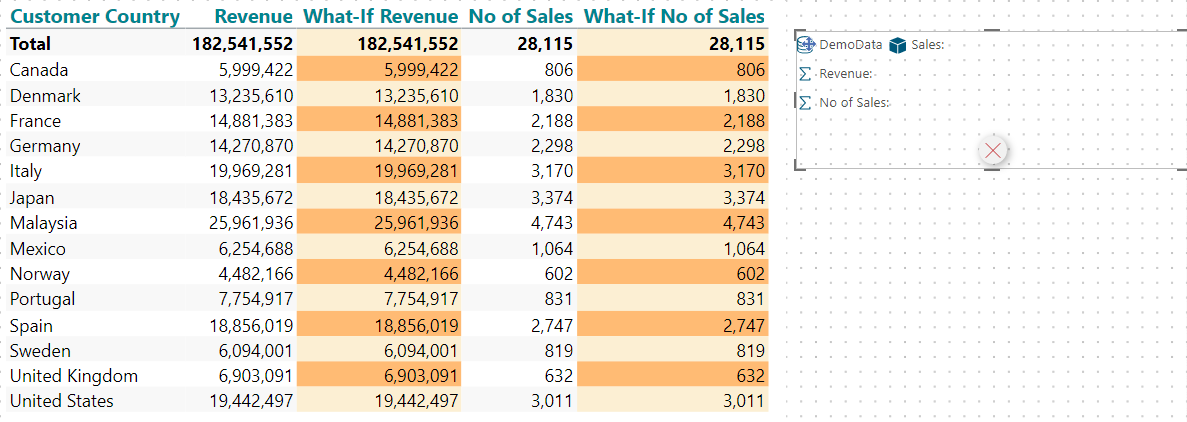
In Consumer mode, by clicking a measure in the What-if object, you can simulate an increase or a decrease of the selected measure by using the slider or by typing a percentage number:
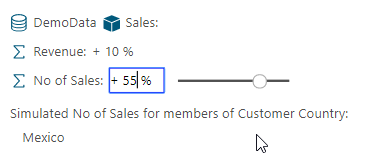
In Designer mode, you can right click and What-if any dimension member to further add it to the What-if object. These individual dimension members can also be controlled individually by clicking them.
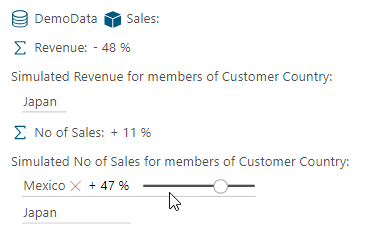
Notice the small red cross - if you should want to remove a dimension member from the list.
Note: In this example, the two What-if columns can be referred to, calculations-wise, as column d2 and d4 (or d-3 and d-1). Often, the What-if functionality makes most sense when combined with calculations.
Remove a What-if object
To remove a What-if object, simply click the red cross on the object in Designer mode (or hit the Delete button while selected).
However, you will see that removing the What-if object from the page does not immediately remove the What-if columns from the other objects.
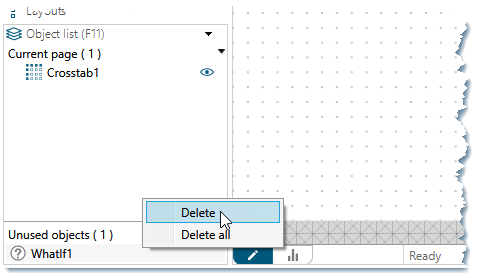
In order to completely remove the What-if additions from the document, you must go to the Object list in the lower left corner of the client and, from there, delete the now unused What-if object.
Comments
Hi Ole,
Since What-If is no longer possible I'm wondering if a similar funtionality has been added to Targit.
Looking forward to hearing from you.
Hi Allan,
The What-if feature was removed because investigations showed that this feature was rarely used by anyone at all.
As a Designer user you can achieve most of the same functionality with calculations making simple projections of your data, albeit this does not provide an interface to the Consumer user.
Also related, though less related, are the forecasting options here: https://community.targit.com/hc/en-us/articles/22490032917276-Forecasting-overview
BR / Ole
Please sign in to leave a comment.