
If we furthermore add a crosstab to the area between the header and the footer, we would end up with something that might be a complete report.
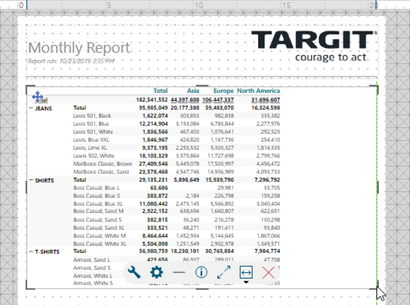
Notice that if you add a crosstab that is bigger than a single page, then the report will automatically add the necessary additional pages in the output.
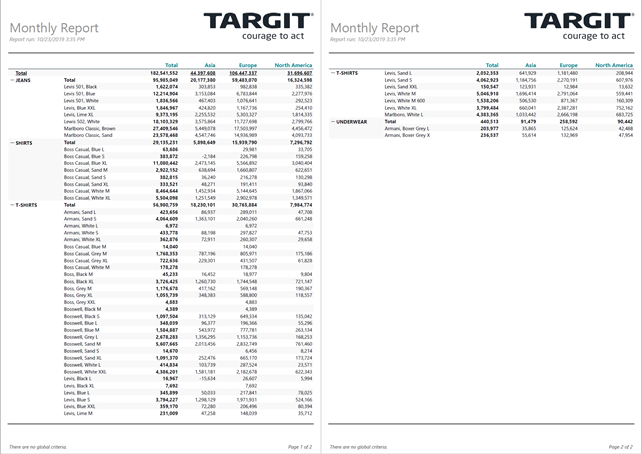
The TARGIT client does not offer an option to preview a multi-page report – you will only be able to preview the first page in Consumer mode. However, hitting the Print to PDF button in the mini menu will immediately produce and present a PDF file with all pages.
This is what the report might look like in the resulting PDF file:
Comments
Hi Niels Thomsen,
While the feature to print the full table on multiple pages is a nice feature, is there a (On/Off) button if you would like the 'Print' to ONLY include what is visible in the table when printing - Like for a 'Dashboard'?
I can of cause make a limiter to how many lines i want to show in a table, but this is just time-consuming if i have many in one report with multiple pages already + sometimes if word-wrap is ON then the table can extend beyond what it should, and make an automatic scheduled report look awful without our team noticing anyway.
Would be nice with an on/off button :)
Please sign in to leave a comment.